Email Tracking Pixels: What They Reveal and How to Block Them

You open a newsletter, glance at it and close it. The sender now knows that you opened it, when, roughly where you were, and what device you used. You didn’t click anything. An invisible image did the work.
These images are called tracking pixels, or spy pixels, and they’re in most marketing emails. In 2026, France and Italy started requiring senders to get consent for most of them. This guide explains what email tracking pixels reveal, what your email app already does about them, and how to block them.
- What an email tracking pixel is
- What a pixel reveals about you
- Who uses tracking pixels and why
- What your email app already does
- How to block email tracking pixels
- Whether email tracking is legal
What Is an Email Tracking Pixel?
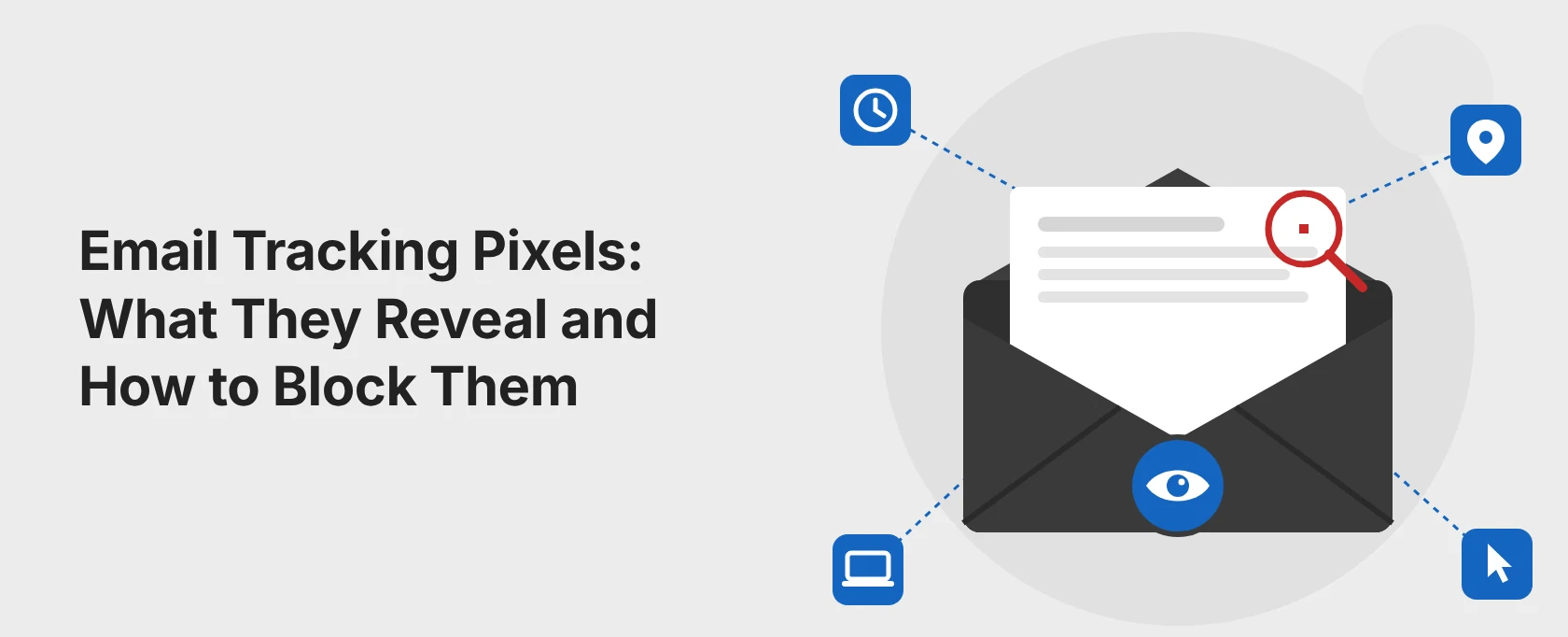
A tracking pixel is a tiny image, often a single transparent pixel, placed in the HTML of an email. You can’t see it, but it isn’t stored in the email itself: it sits on the sender’s server, and its web address contains a code that is unique to you.
When you open the email, your email app downloads the images in it, including the pixel. The sender’s server receives that request and logs it: this recipient has just opened this email.
The same idea works for links. Many emails use links that pass through the sender’s server first, with your personal code attached, so the sender also learns which links you click.
Regulators have started to treat pixels like cookies. France’s data protection authority (CNIL) has required consent for most email tracking pixels since April 14, 2026, and Italy’s (the Garante) since October 29, 2026.
What a Pixel Reveals About You
When the pixel loads, the sender’s server can record:
- whether you opened the email, and when;
- how many times you opened it, and whether it was opened again later, for example after you forwarded it;
- your IP address, which reveals your approximate location and sometimes your employer or internet provider;
- your email app and device, such as Outlook on Windows or Mail on an iPhone.
Combined with tracked links, this shows what interests you. Combined with your customer account, it becomes part of your marketing profile.
Pixels are everywhere. In 2021, the email service Hey analyzed its traffic for the BBC and found that nearly two-thirds of the emails its users received contained spy pixels.
Who Uses Tracking Pixels and Why
- Newsletters and marketing emails use pixels to measure open rates, find the best time to send, resend messages to people who didn’t open them, and tailor future offers.
- Sales and email tracking tools tell the sender when you’ve read their message, sometimes in real time, without asking you, unlike a read receipt.
- Service emails, such as receipts and account notices, sometimes include pixels to confirm delivery or detect fraud.
- Spammers use remote images to confirm that an email address is active, as Mozilla notes in Thunderbird’s help pages. Opening spam can lead to more spam.
What Your Email App Already Does
Many email apps now limit pixel tracking, but they do it in different ways:
- Apple Mail (Mail Privacy Protection): since 2021, Apple Mail on iPhone, iPad and Mac offers to “Protect Mail Activity” when you set it up. If you turn it on, Mail downloads remote content in the background through two separate relays, even if you never open the email. Senders can’t tell when or whether you opened a message, and your IP address stays hidden.
- Gmail: Gmail shows external images by default, but loads them through Google’s own servers. This hides your IP address and location from the sender, but the sender still learns when the email is first opened.
- Outlook.com: can load external images through Microsoft’s own service instead of connecting you directly to the sender (privacy setting “Always use the Outlook service to load images”). The Outlook apps for Android and iOS can block external images completely, and classic Outlook for Windows doesn’t download pictures automatically unless you allow it.
- Proton Mail: blocks email tracking by default. It removes known trackers from emails, loads other remote images through its own proxy so senders see a generic IP address, and strips tracking parameters from links in the web app.
- Thunderbird: blocks remote content by default and shows a notification bar, so nothing loads until you allow it.
How to Block Email Tracking Pixels
Turn off automatic images. This is the most effective step, because a pixel that never loads can’t report anything. (Menu names checked in October 2026; they can change.)
- Gmail on a computer: Settings > See all settings > General > Images > “Ask before displaying external images” > Save Changes. The Gmail apps have the same Images setting in your account settings.
- Apple Mail on iPhone or iPad: Settings > Apps > Mail > Privacy Protection > turn on “Protect Mail Activity.” On a Mac: Mail > Settings > Privacy.
- Outlook apps for Android and iOS: turn on “Block external images” in the app’s settings.
- Classic Outlook for Windows: keep “Don’t download pictures automatically” switched on (File > Options > Trust Center > Trust Center Settings > Automatic Download).
- Thunderbird: leave remote content blocked, and allow it only for senders you trust.
Use an email service or alias that removes trackers. Proton Mail removes known trackers by default. Email alias services such as DuckDuckGo Email Protection and Firefox Relay forward emails to your inbox and can remove known trackers on the way (in Firefox Relay, turn on “Remove email trackers in all forwarded emails”). For more options, see our list of privacy-friendly Google alternatives.
Be careful with links. Blocking images doesn’t stop link tracking. If you don’t want the sender to know you’re interested, open the company’s website yourself instead of clicking the link.
Be careful with tracker-blocking extensions. Browser extensions that block email trackers can see your email. Install only well-known ones, and read about the privacy risks of browser extensions first.
Don’t open obvious spam. Delete it unopened, or at least don’t load its images, since a loaded pixel confirms that your address is active. Read more on whether you can get hacked by opening an email.
Know what a VPN does here. A VPN hides your real IP address from the pixel, so the sender doesn’t see your location. It doesn’t hide whether or when you opened the email.
The Trade-Offs
Blocking images has a cost. Many newsletters are built from images, so they look broken until you load them. And loading the images once, even for a moment, is enough to tell the sender that you opened the email.
There’s also a side effect of Apple’s approach: because Apple Mail downloads every image in the background, senders see opens that never happened. That protects you, but it also makes open rates less reliable for honest senders, who may send more email to compensate.
Finally, not every pixel is about marketing. Some are used for security, for example to detect suspicious logins, which is why the new French and Italian rules make exceptions for them.
Is Email Tracking Legal?
It depends on where you live.
Latest developments (updated October 31, 2026)
- October 29, 2026: Italy’s rules on email tracking pixels take effect.
- July 22, 2026: the CNIL publishes FAQs on its recommendation.
- July 14, 2026: France’s transition period for existing mailing lists ends.
- April 29, 2026: the UK ICO finalizes its guidance on storage and access technologies, which covers tracking pixels.
- April 14, 2026: France’s recommendation on email tracking pixels takes effect.
European Union. Tracking pixels fall under the ePrivacy rules on accessing information on a user’s device, the same rules that cover cookies. In October 2024, the European Data Protection Board’s guidelines on those rules listed pixel tracking among the techniques they cover. Two national regulators have now issued detailed rules:
- France: the CNIL’s recommendation took effect on April 14, 2026. Senders need consent for most tracking pixels, including those used to measure and personalize campaigns or build profiles. Exceptions cover pixels used only for login security and, under strict limits, for checking delivery. A transition period for existing mailing lists ended on July 14, 2026.
- Italy: the Garante’s guidelines apply from October 29, 2026. Senders must always tell recipients about pixels in advance, and need consent to track individual recipients. Anonymous, aggregate open counts don’t need consent. Each email must give recipients an easy way to withdraw consent, for example through a link in the footer, and refusing tracking can’t limit the service.
United Kingdom. The ICO’s guidance on storage and access technologies, finalized in April 2026, says the rules for cookies also apply to tracking pixels in emails that access information on the reader’s device. They’re allowed only with consent or in narrow exceptions.
United States. There’s no general rule requiring consent for email tracking pixels. Some plaintiffs tried to use state law instead: in Arizona, a series of class actions argued that marketing pixels violated a state law on telephone and communication records. In November 2025, the Arizona Court of Appeals ruled that the law doesn’t apply to tracking pixels in marketing emails.
If you send newsletters
Tell subscribers about tracking pixels when they sign up, ask for consent where EU or UK rules require it, give a simple opt-out in every email, and consider aggregate, anonymized open counts instead of tracking each reader.
Summary
A tracking pixel turns an ordinary email into a report back to the sender: whether you opened it, when, where and on what device. Apple Mail, Gmail, Outlook.com, Proton Mail and Thunderbird all limit this to some degree, but only blocking remote images, or using a service that removes trackers, stops the pixel from reporting at all.
In Europe, the law is catching up: France and Italy now require consent for most tracking pixels, and the UK applies its cookie rules to them. Until the rules are followed everywhere, your email settings are your best protection.
Frequently Asked Questions
Some people found answers to these questions helpful
Can someone tell if I opened their email?
Usually, yes, if the email contains a tracking pixel and your email app loads images. The sender sees when you opened it and often your approximate location and device. If your app blocks images, or you use Apple's Mail Privacy Protection, the sender can't reliably tell.
Does Gmail block tracking pixels?
Not by default. Gmail loads images through Google's servers, which hides your IP address and location, but the sender still sees the first time you open the email. To block pixels, choose "Ask before displaying external images" in Gmail's settings.
Does Apple's Mail Privacy Protection stop all tracking?
It stops most open tracking: Apple Mail loads images in the background through relays, so senders can't see whether or when you opened an email, or your IP address. It doesn't stop link tracking, so clicking a link still tells the sender you're interested.
Are email tracking pixels legal?
It depends on the country. In France and Italy, senders now need consent for most tracking pixels, and the UK applies its cookie rules to them. In the US, there's no general consent requirement.
Can a VPN stop email tracking?
Only partly. A VPN hides your real IP address, so the sender can't see your location. It doesn't stop the pixel from reporting that, and when, you opened the email.
Are tracking pixels the same as read receipts?
No. A read receipt is a request that your email app usually lets you decline. A tracking pixel reports back automatically, without asking, as soon as your email app loads the images.